5–10 days
Role and tenant audit
We list every role, permission and tenant setting and interview administrators, end users and a customer security reviewer.

We are a SaaS UI UX Design Agency for B2B and enterprise products. SaaS products live or die on retention, so design work must reduce time-to-value and improve feature adoption.





Get a free consultation
Free consultation · reply within one business day
In shortSaaS UI UX design shapes the user interface (UI) and user experience (UX) of business software sold as a service, from multi-tenant admin consoles to single sign-on (SSO) and data-heavy tables. Our software-as-a-service (SaaS) platform engagements run 8–16 weeks, cost $60,000–$180,000, and end with enterprise-ready workflows and a design system.
SaaS UI UX design is the design of business software sold on subscription, covering the admin console, role-based access control, SSO and the data tables that customer teams use every day. The work serves 2 audiences at once: end users inside a customer account and the IT administrators who buy, configure and audit the product.
Every tenant holds its own users, roles, integrations and contract terms, so each screen separates account-level settings from personal settings. Lifecycle work on trials, activation and churn belongs to our SaaS UX design engagement; this page covers the platform layer that enterprise deals depend on.
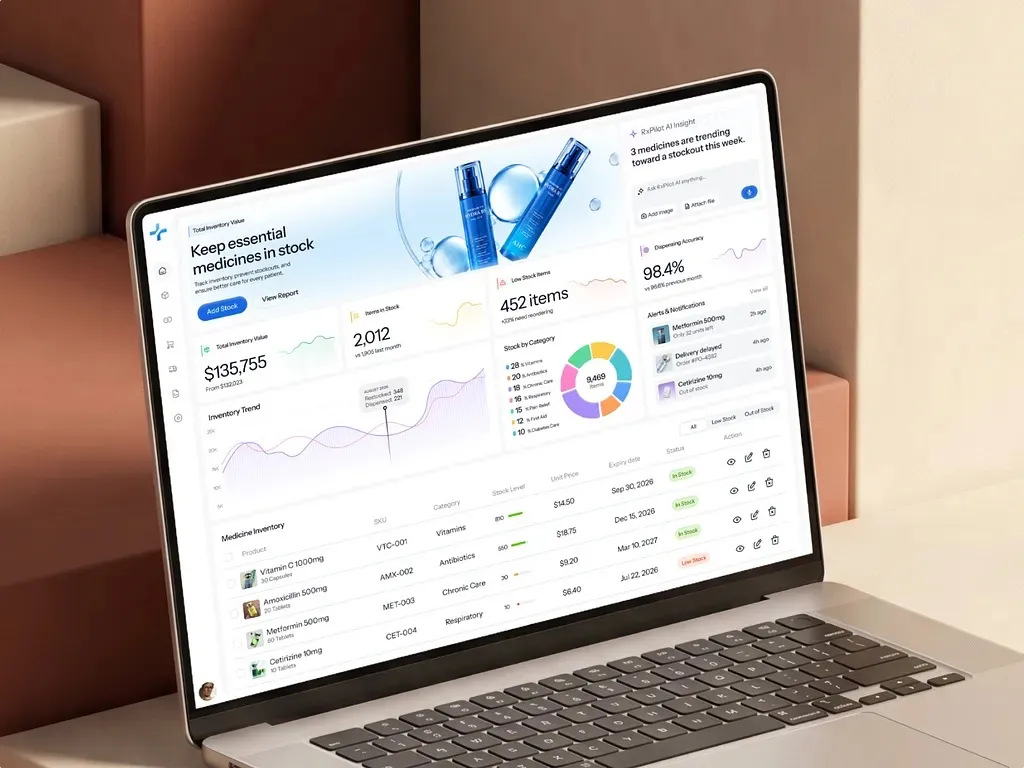
We design 6 types of B2B SaaS products: multi-tenant admin consoles, role and permission managers, SSO and provisioning setup, data-heavy tables, integration settings and audit logs.
Workspace owners manage users and licences per tenant, for example a seat-allocation screen.
Administrators define who reads, edits or approves each object, for example a permission matrix comparing 4 roles across 20 resources.
IT teams connect an identity provider such as Okta or Microsoft Entra ID, for example a guided Security Assertion Markup Language (SAML) setup with a test-connection step.
Analysts filter and export thousands of records, for example saved views and bulk actions in a 10,000-row table.
Technical admins manage API keys and webhooks, for example a key-rotation flow showing the last-used date.
Security reviewers trace every change, for example an event log with actor, IP address and before-and-after values.
4 UX challenges are specific to SaaS: the split between buyer and user, permission complexity, tenant-specific configuration and data density on shared screens.
The IT director who signs the contract never runs the daily workflow, so research covers administrators, end users and security reviewers separately.
Custom roles, field-level permissions and approval chains multiply the states each screen must show, for example a read-only version of an editable form.
Two customers on the same release see different menus and fields, so designers specify every screen with custom fields, hidden modules and white-labelled branding.
Power users want 50 columns and keyboard shortcuts while occasional users want 5 clear columns, so tables need saved views and density settings.
Our B2B platform design process takes 8–16 weeks (40–80 working days) and runs in 5 steps, from the role and tenant audit to the design system handover.
We list every role, permission and tenant setting and interview administrators, end users and a customer security reviewer.
Designers map which role sees, edits and approves each object in a permission matrix that product, engineering and sales sign off.
Designers produce the admin console, SSO setup, tables and audit log in Figma, with empty, read-only, error and over-limit states.
5 administrators per round test the prototype, and a Web Content Accessibility Guidelines (WCAG) 2.2 AA check keeps the Accessibility Conformance Report (ACR) consistent with the interface.
Developers receive documented Figma components for tables, filters and permission editors.
SaaS UX designs for many roles inside many customer accounts; general product UX designs for 1 user group completing its own tasks. Enterprise procurement and tenant settings add work a consumer product never needs.
| Criterion | SaaS UX | General product UX |
|---|---|---|
| Users | Administrators, end users and security reviewers in every tenant | 1 primary user group |
| Constraints and regulation | System and Organization Controls 2 (SOC 2) controls, SSO and custom contract terms | App store and platform guidelines |
| Testing | Tasks per role, run with real administrators and power users | Core tasks with 5 users per round |
| Accessibility | WCAG 2.2 AA plus a Voluntary Product Accessibility Template (VPAT) for procurement | WCAG 2.2 AA |
| Success metrics | Admin setup time, seat utilisation and security review pass rate | Task success rate and time on task |
Full SaaS platform design costs $60,000–$180,000 and takes 8–16 weeks, including a design system. The price depends on 4 factors: the number of roles, tenant configuration options, data-heavy tables and enterprise readiness features such as SSO.
An admin console redesign with 3 roles fits a $25,000–$60,000 sprint over 4–8 weeks. A full platform with 8 roles, custom fields, SSO and a component library for 3 product teams sits near $180,000. Teams that need finance sign-off for the component library can model when a shared component library pays back before they request a quote. SaaS teams that must collect competing bids can scope roles, workflows and screen states in a design RFP so the quotes are comparable.
5 standards and regulations shape SaaS UX:
Each option below draws on our core UI UX design services, from user research to usability testing, scoped to the users and workflows of your product.
Senior UX guidance, product reviews, and a prioritized roadmap your team can act on.
02Interviews, observation, journey maps, and Jobs-to-be-Done analysis that ground every design decision in evidence.
03Heuristic review, analytics, and usability findings turned into a prioritized fix list.
04Strategy, UX, UI, and validation from one team that stays through launch.
05Flows, micro-interactions, states, and motion that make every action clear.
06Component libraries, tokens, and documentation that scale across teams.
07Information architecture, workflows, and UI for complex web applications.
08Dashboards designed around the decisions users make, not every metric at once.
09Onboarding, core workflows, and admin UX that get users to value fast.
Book a 45-minute UX audit session. We review your product and identify the top three friction points.
Book a UX auditThese answers cover the 5 questions B2B software teams ask most about SaaS platform design.
Still have a question?
A design lead answers every message within one business day.
Talk to a design leadYes. Admin console design covers users, roles, licences, billing and audit logs per tenant, with separate screens for customer workspace owners and the vendor's support team.
Yes. SSO setup design covers the identity provider choice, SAML 2.0 or OpenID Connect fields, a test-connection step and error messages that tell an IT administrator which attribute mapping failed.
A permission matrix is both. Designers draft roles, objects and actions, and engineering builds access rules from the same matrix, so interface and back end match.
Yes. Saved views, column pinning and per-role column presets keep wide tables usable, if each user group gets its own default view instead of 1 shared layout. When those tables are redesigned, carrying admins' saved views through the migration keeps whole accounts from churning.
Full SaaS platform design takes 8–16 weeks, which equals 40–80 working days. A single admin console or permission redesign takes 4–8 weeks as a research and design sprint.
Send us your project. A design lead reviews it and schedules a call within one business day. We sign an NDA before the first technical discussion if you prefer.