Overview
We designed a calmer front end for the electronic health record (EHR). It shows a doctor what changed, what is still open and what needs a signature, and keeps everything else out of the way.
Scope of work: dashboard UX and dashboard design for a web app, delivered to a US-based client in healthcare.
The challenge
Doctors operate the record more than they use it. Before walking into a room, a physician has to piece together what happened since the last visit from results, medication lists and outside reports that live on separate screens. Alerts interrupt with the same force whether the risk is serious or minor. Notes, results and messages pile up through clinic and get finished after hours.
The goal for CalmChart was a dashboard that cuts the time a doctor spends operating the EHR, without hiding anything that matters for patient safety.
The solution
Five screens, each answering one question. Every screen opens on what is new or unfinished. Routine information stays one click away, and the physician remains the author of everything that enters the chart.
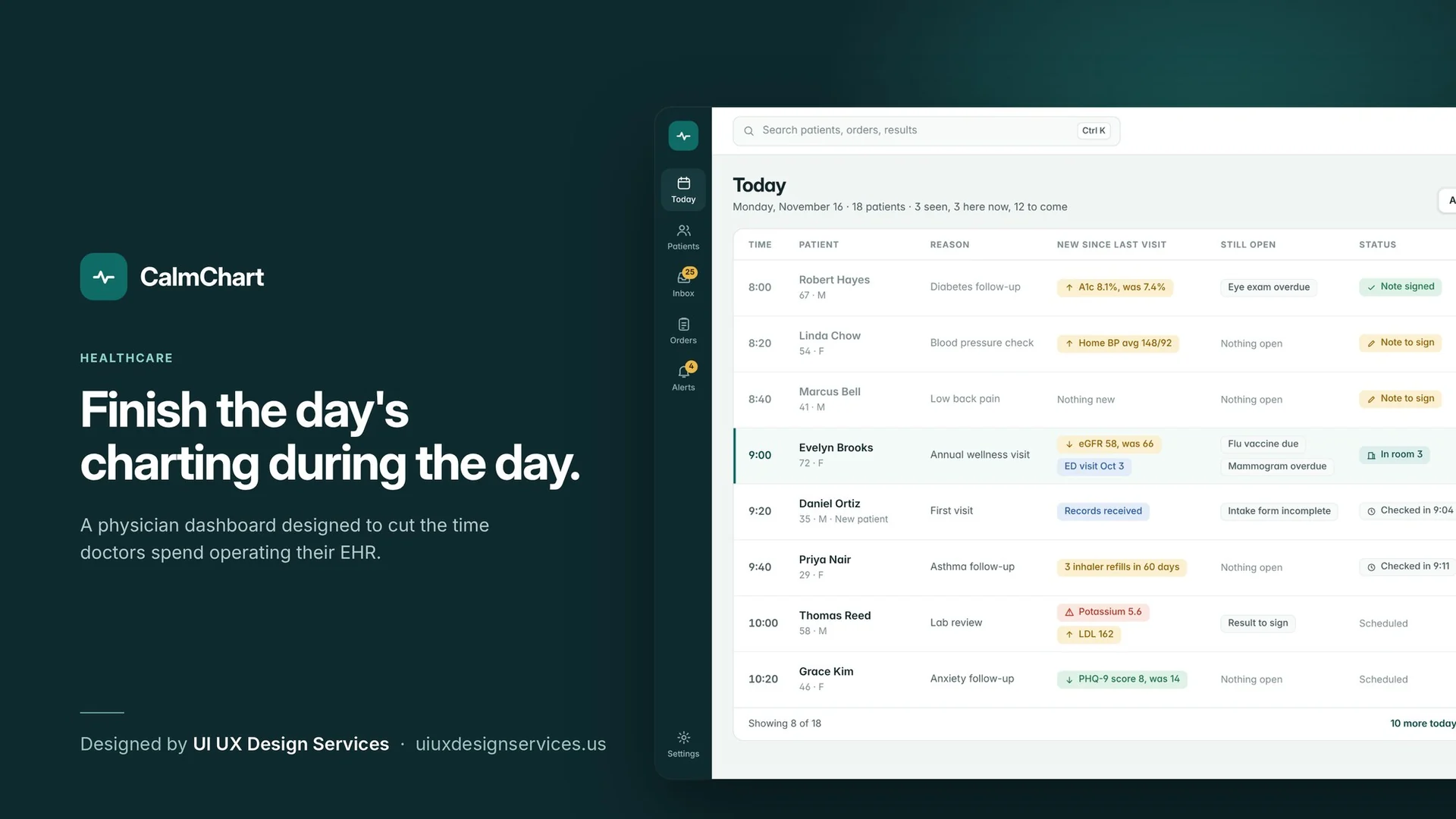
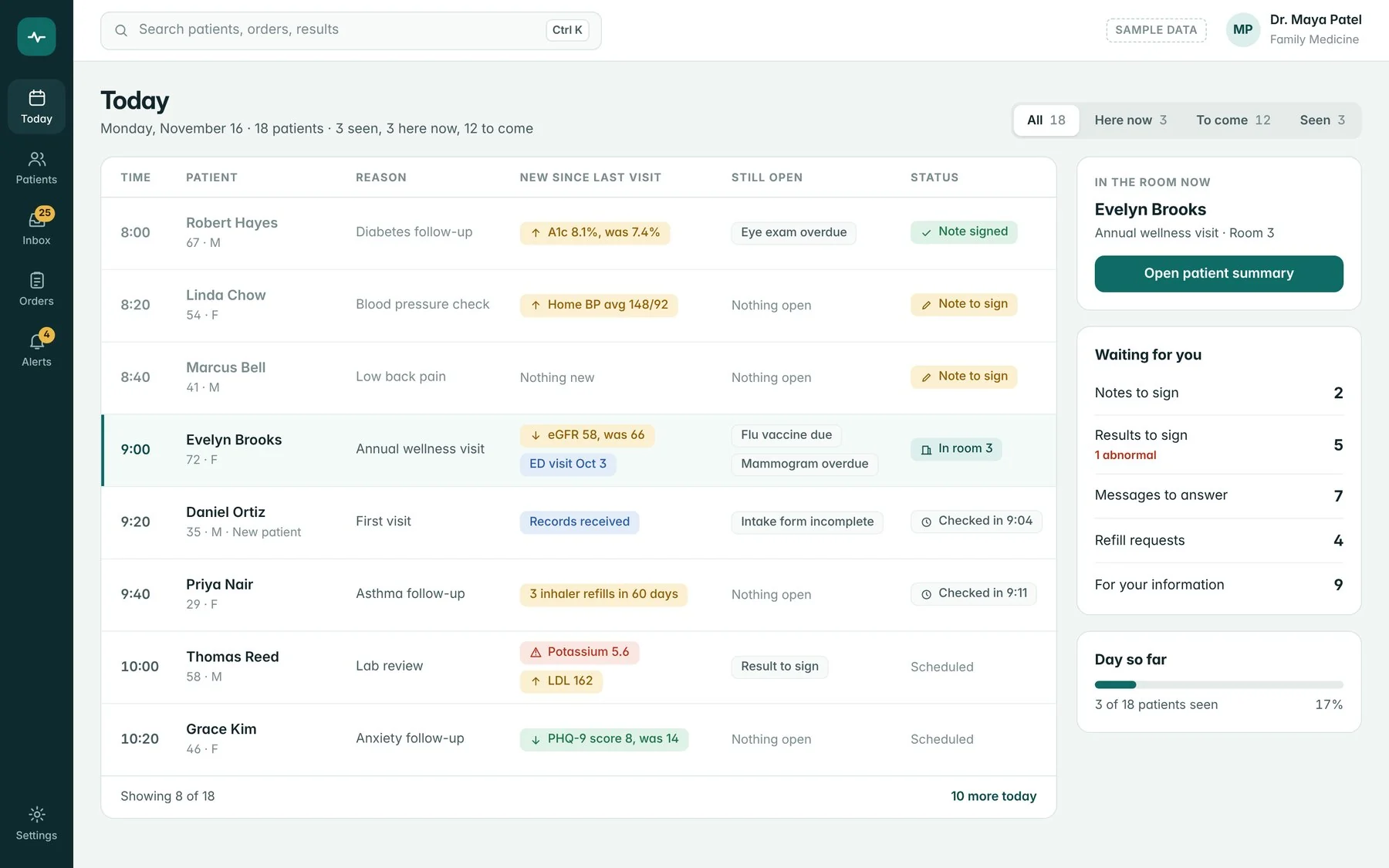
Today's schedule
Who am I seeing, and what is new? The whole day sits in one table. Two columns carry the load: "New since last visit" and "Still open". A side panel counts what is waiting for the doctor, from notes to sign to refill requests.
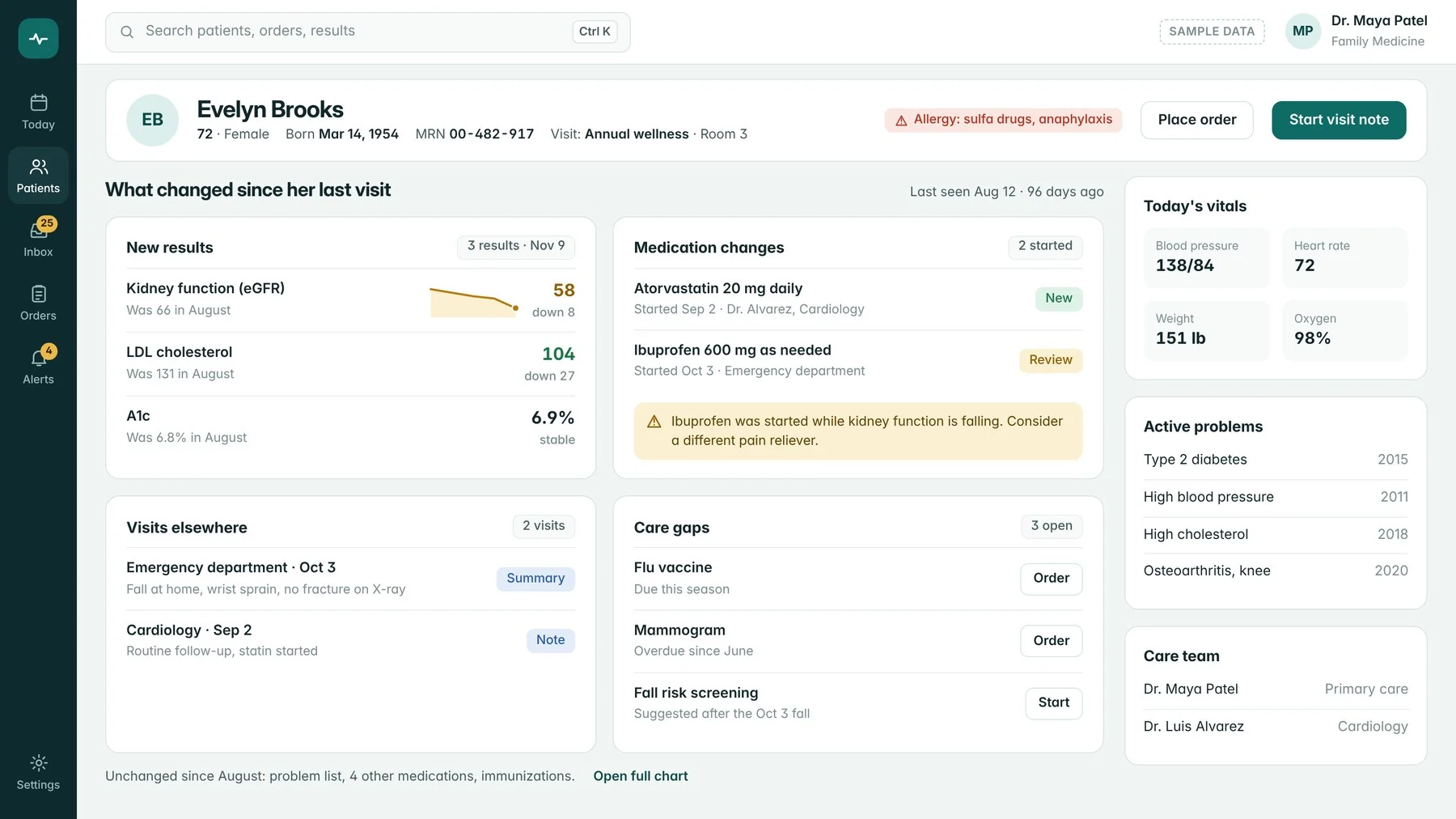
Patient summary
What changed since the last visit? The summary shows changes only: new results with their trend, medication changes, visits elsewhere and open care gaps. Everything unchanged collapses into a single line with a link to the full chart.
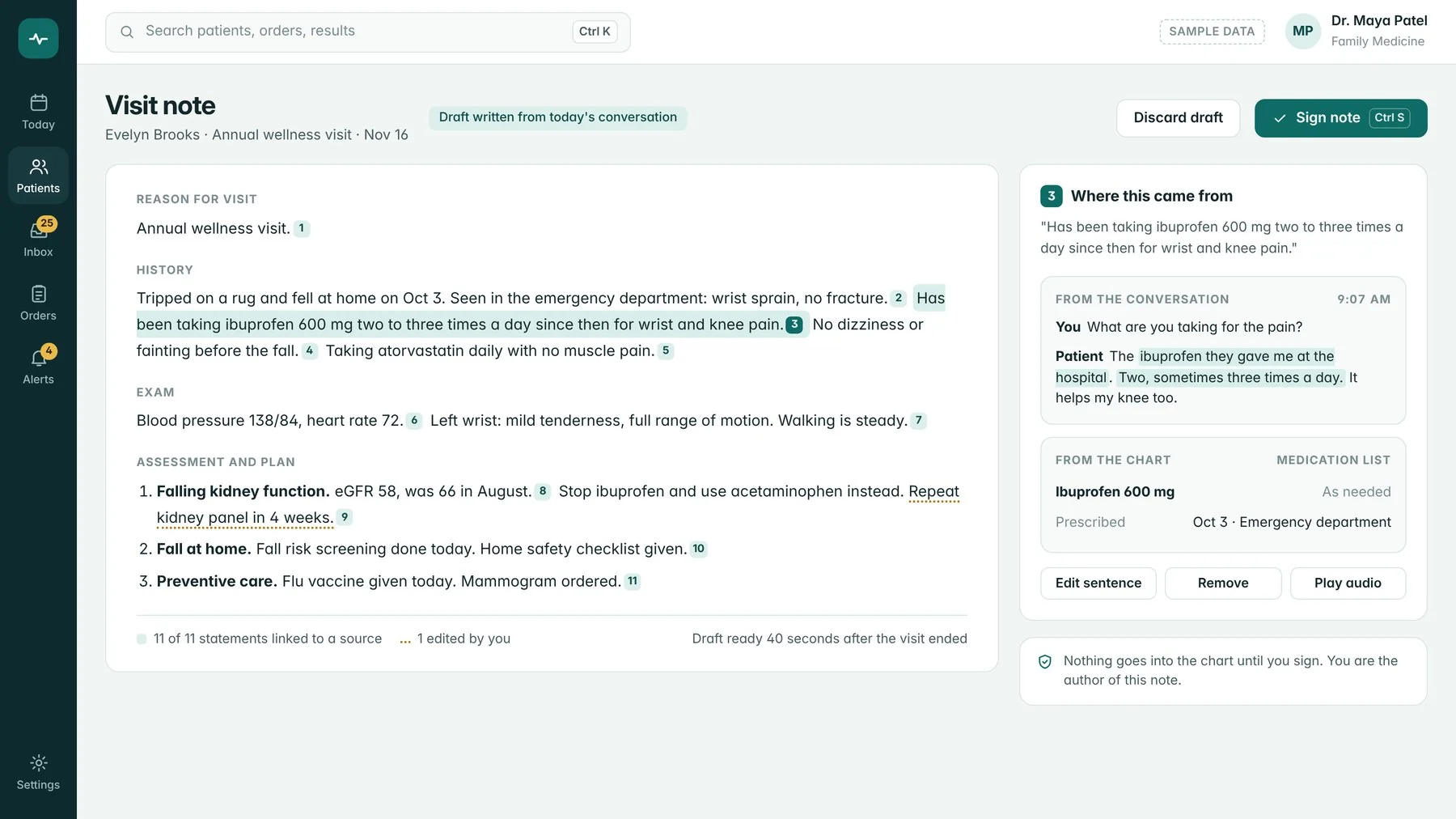
Visit note
Can I trust this draft? The note is drafted from the visit conversation. Each statement carries a numbered link to its source, either the moment in the conversation or the entry in the chart. Nothing is saved to the chart until the doctor signs.
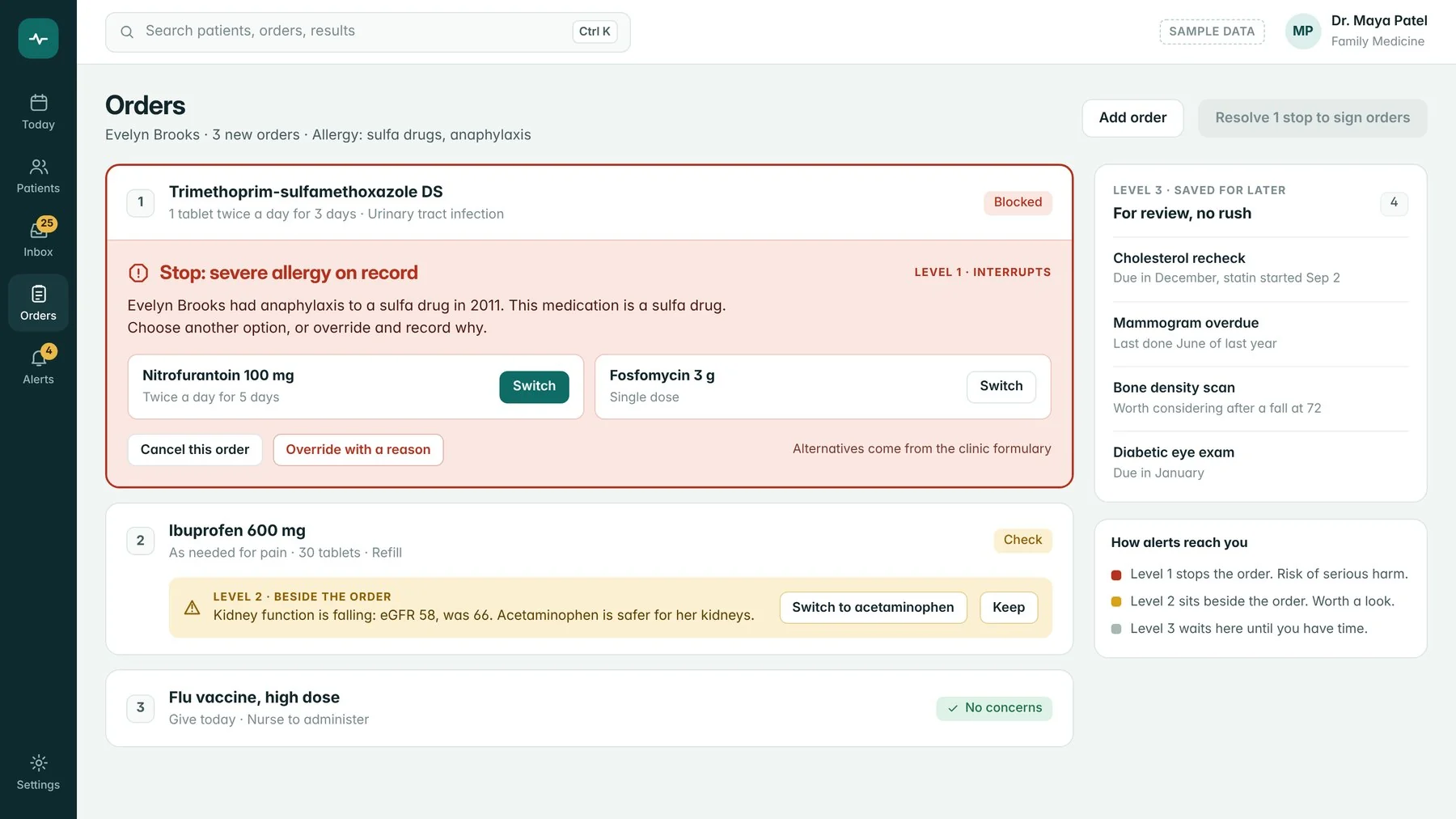
Orders and alerts
Does this need to stop me? Alerts come in three levels. Level 1 stops the order when there is a risk of serious harm and offers alternatives. Level 2 sits beside the order as a suggestion. Level 3 waits in a list until the doctor has time.
Inbox
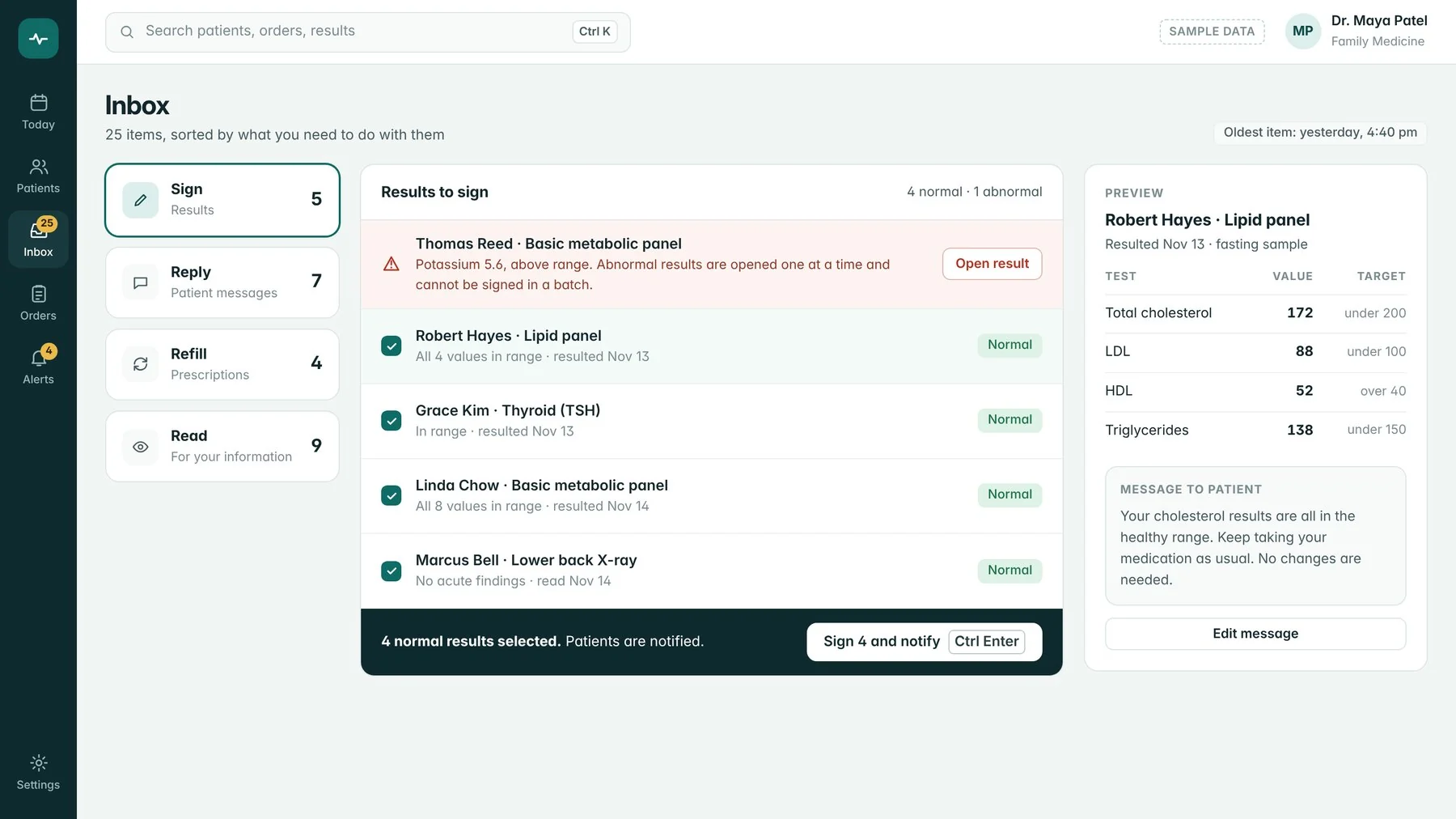
What do I need to do with this? Items are sorted by the action they need: sign, reply, refill or read. Normal results can be signed together with a patient message attached. Abnormal results open one at a time and cannot be signed in a batch.
The outcome
A complete clinic-day workflow, delivered in five screens:
- 5 core screens. Schedule, patient summary, visit note, orders and inbox, designed in high fidelity.
- 3 alert levels. Only the highest level interrupts. The other two wait beside the order or in a list.
- 4 inbox actions. Sign, reply, refill and read replace one undifferentiated list.