Overview
AI Eyesight is an AI video surveillance platform. It watches camera feeds across multiple sites and flags events such as trespassing, perimeter breaches and vehicle movement. We designed the operator dashboard that turns those detections into alerts a person can review and act on.
Scope of work: dashboard UX and UI design for a security technology platform.
The challenge
AI detection produces more alerts than a person can watch. An operator covering many cameras and sites has to decide, alert by alert, what is real, how serious it is and who needs to know. Each decision depends on context: the footage, the camera and zone, the confidence of the detection and the right emergency contact.
The platform needed an interface that put that context beside the video and kept the next action one click away. Supervisors also needed a view of response times and camera health across every site.
The solution
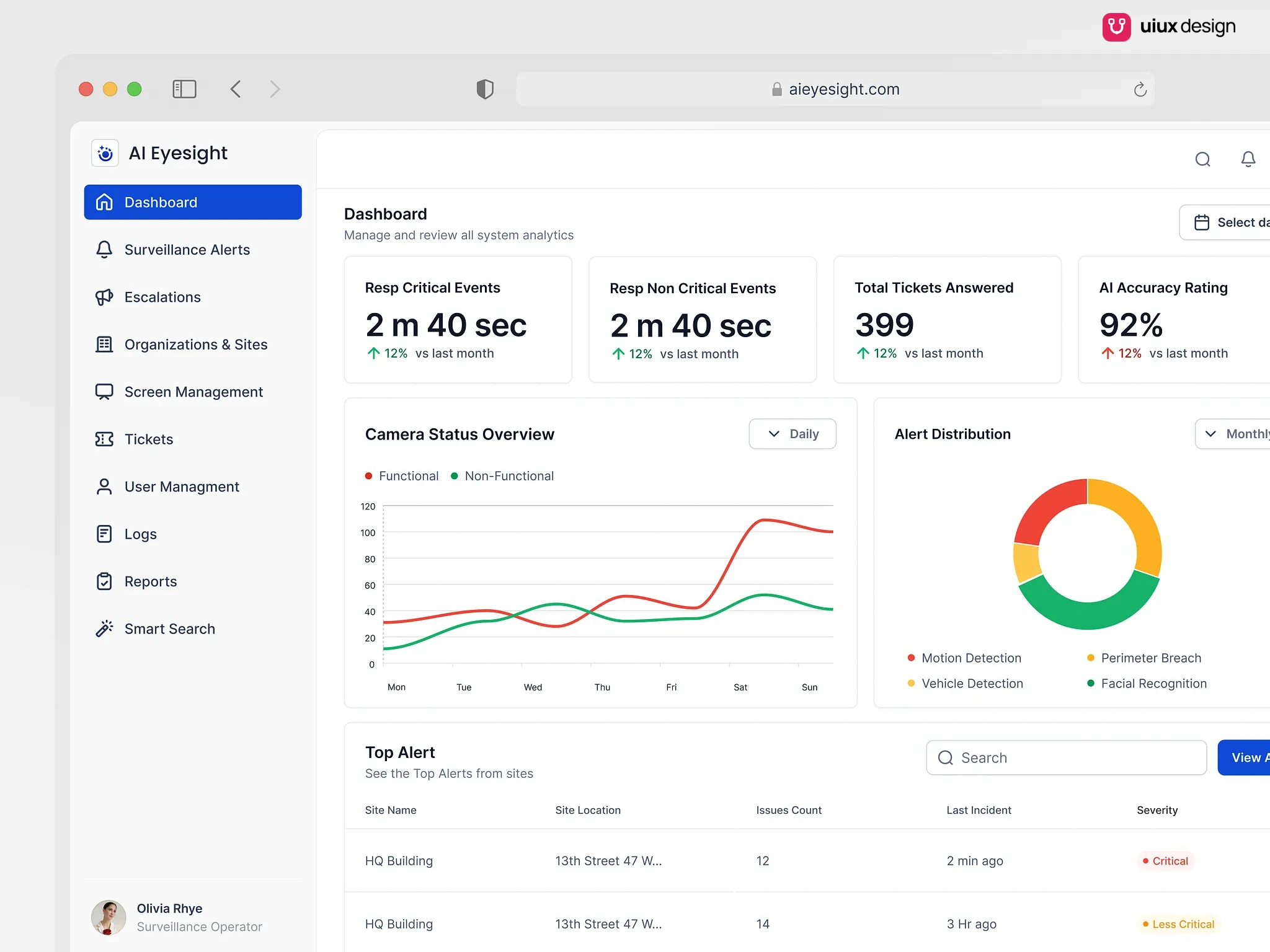
We started with the dashboard an operator opens each shift. Four cards report response time for critical and non-critical events, tickets answered and the AI accuracy rating. A camera status chart tracks functional against non-functional cameras, an alert distribution chart splits alerts by type, and a top alerts table ranks sites by issue count and severity.
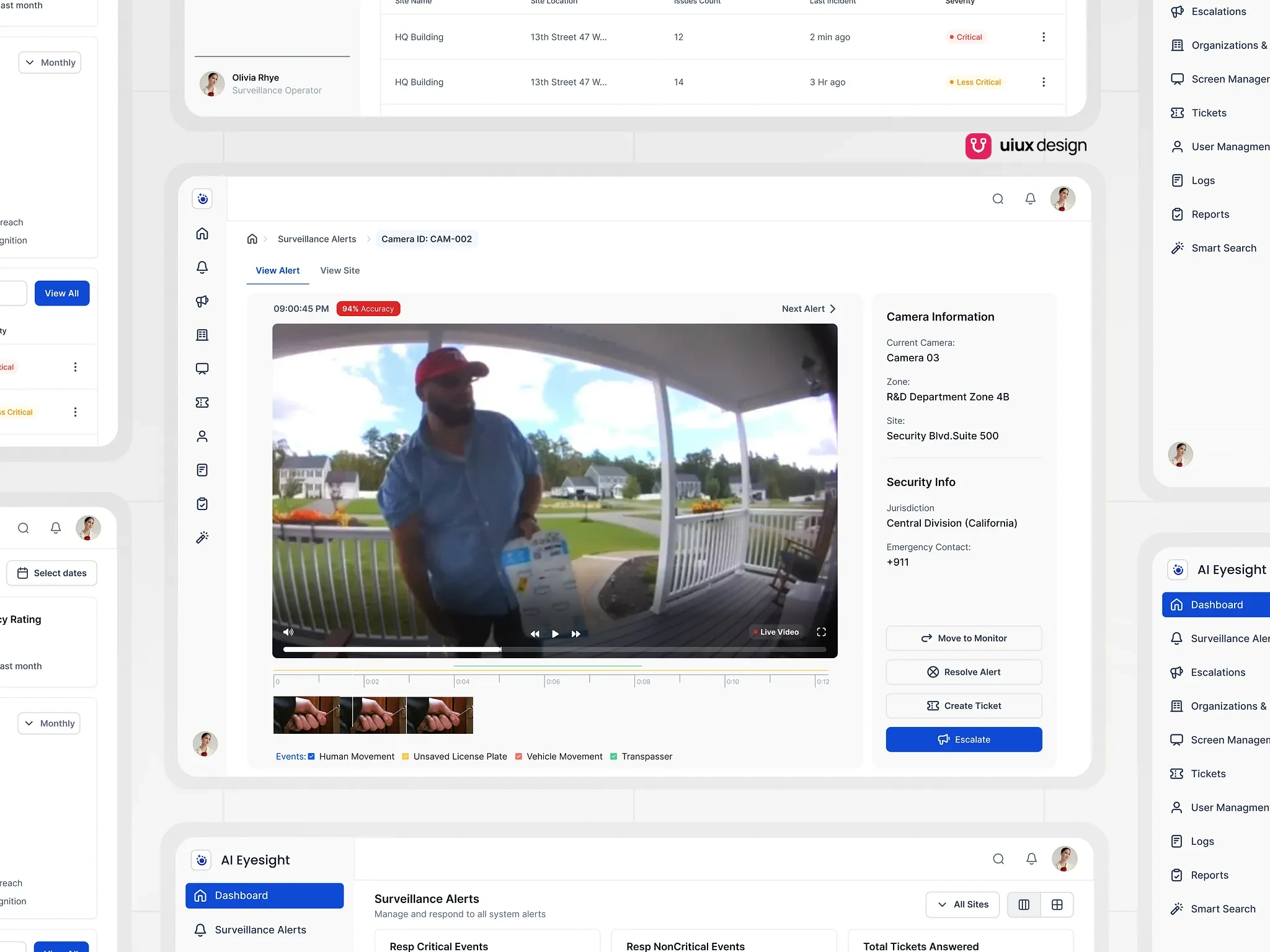
The alert view is built for one decision at a time. Video sits at the center with a timestamp and an accuracy badge, and a timeline below marks detected events such as human movement, vehicle movement and trespassing. Camera, zone, site, jurisdiction and emergency contact sit in a panel beside it. Four actions close the loop: move to monitor, resolve, create ticket or escalate. A next alert control keeps the operator moving through the queue.
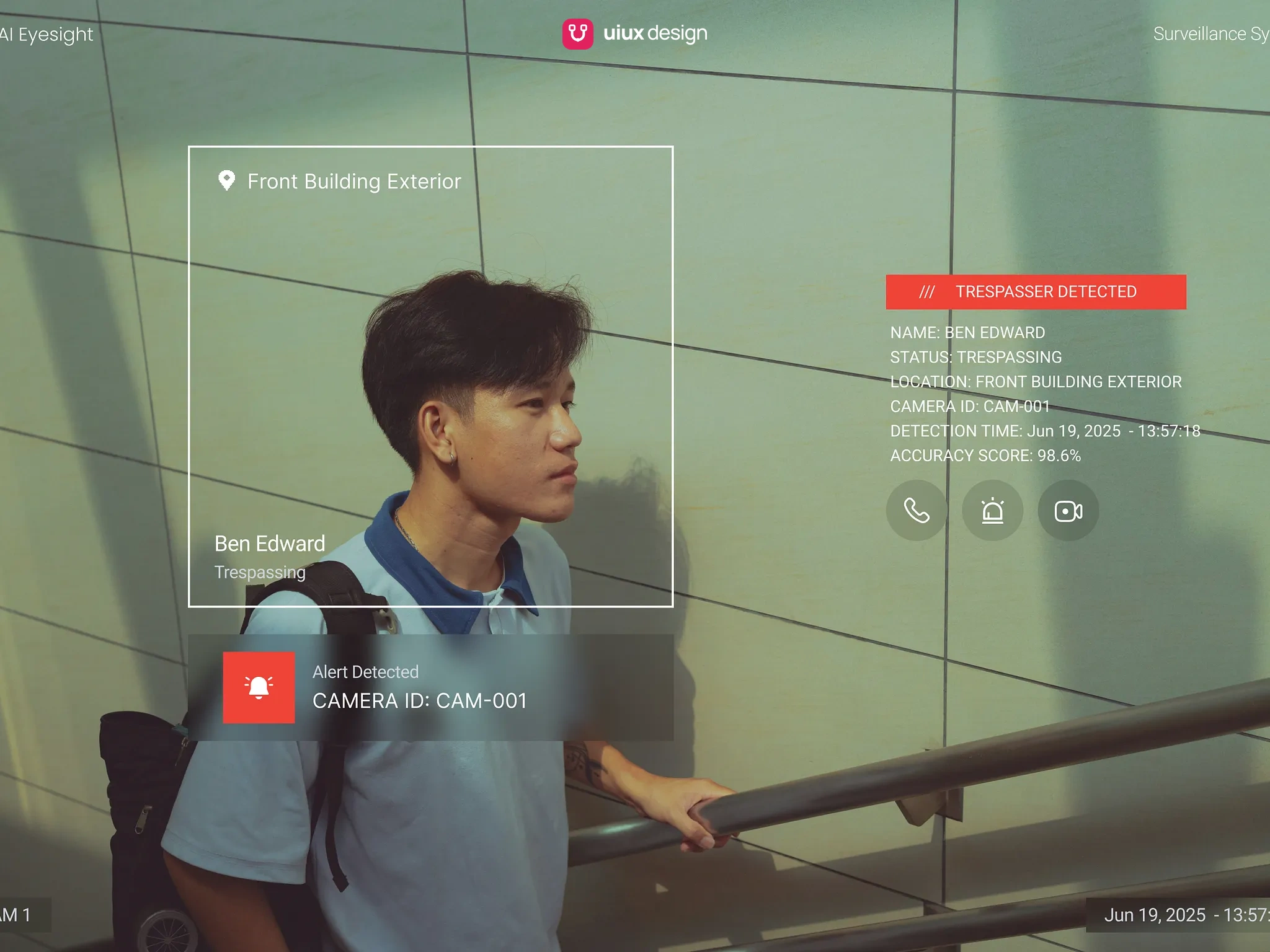
For monitor screens, we designed a live overlay. A bounding box marks the detected person, and a red banner states the alert with location, camera ID, detection time and accuracy score, plus quick actions for call, alarm and video.
A ten-item sidebar covers the rest of the operation, from escalations and tickets to logs, reports and smart search. Color is used sparingly: blue for primary actions, red and amber for severity.
Results
The design gives operators a single path from detection to resolution. An alert arrives with its footage, location and confidence score attached, and the operator can resolve it, ticket it or escalate it without leaving the screen. Supervisors see response times, camera health and the busiest sites on one dashboard.